
Download Miliki Super Compressor Pro – Free Trial, Secure File & Photo Compression for Windows
Overview: Powerful File Compression for Every User
Miliki Super Compressor Pro stands out as a lightweight yet highly effective file compression tool designed specifically for Windows users who need to reduce file sizes without compromising quality. Whether you're managing large photo libraries, sharing documents via email, or optimizing storage space on your hard drive, this software delivers impressive results. Despite being a trial version, it offers a robust set of features that make it a strong contender among file compression utilities. With a minimal footprint—requiring less space than the average program in its category—it runs smoothly even on older systems.
Since its introduction in 2004, Miliki Super Compressor Pro has garnered a loyal user base, especially in countries like India, Pakistan, and various other regions where efficient data management is essential. The software has been downloaded over 20,000 times and continues to attract users seeking a reliable alternative to more well-known tools like WinRAR or 7-Zip. Its latest version, 1.02, was updated on April 15, 2010, and while it hasn't seen recent updates, its core functionality remains effective for basic compression tasks.
One of the standout aspects of Miliki Super Compressor Pro is its ability to compress both files and images to a fraction of their original size. This makes it ideal for users who need to send large files via email, back up data, or free up space on external drives. The interface is clean and intuitive, allowing even beginners to navigate it with ease. Although it’s currently only available for Windows 95 and later versions and limited to English, its straightforward design ensures a hassle-free experience. For those looking for a secure, fast, and free trial option to test before buying, Miliki Super Compressor Pro is definitely worth exploring.
Key Features: What Makes It Stand Out
Miliki Super Compressor Pro comes packed with essential features that make file compression simple, efficient, and effective. One of its most valuable capabilities is its ability to compress both standard files and high-resolution photos without significant quality loss. This feature is particularly useful for photographers, designers, and professionals who frequently share visual content. The software supports bulk compression, allowing users to select multiple files at once and compress them into a single archive, saving time and effort.
Another notable feature is its lightweight design. Unlike many modern compression tools that consume significant system resources, Miliki Super Compressor Pro operates efficiently with minimal memory usage. This makes it suitable for older computers or systems with limited RAM. The program also offers fast compression speeds, enabling users to process large datasets in a fraction of the time compared to other tools. Additionally, it supports common archive formats such as ZIP, which ensures compatibility across different platforms and devices.
Security is another area where the software shines. All compressed files are protected with password encryption, giving users peace of mind when handling sensitive data. The trial version allows full access to these features, so users can test the software’s capabilities before committing to a purchase. For those who need advanced options like custom compression levels or file splitting, the full version provides additional control. With a user-friendly interface and straightforward navigation, Miliki Super Compressor Pro ensures that even non-technical users can achieve professional-grade results.
Installation & Usage: Simple Steps for Quick Setup
Getting started with Miliki Super Compressor Pro is a breeze, thanks to its straightforward installation process. To begin, download the installer from a trusted source. The file is small in size, ensuring a quick download even on slower internet connections.
Once downloaded, double-click the setup file to launch the installer. The wizard will guide you through the process with minimal steps—just click “Next,” accept the license agreement, and choose your preferred installation directory. The entire process takes less than a minute.
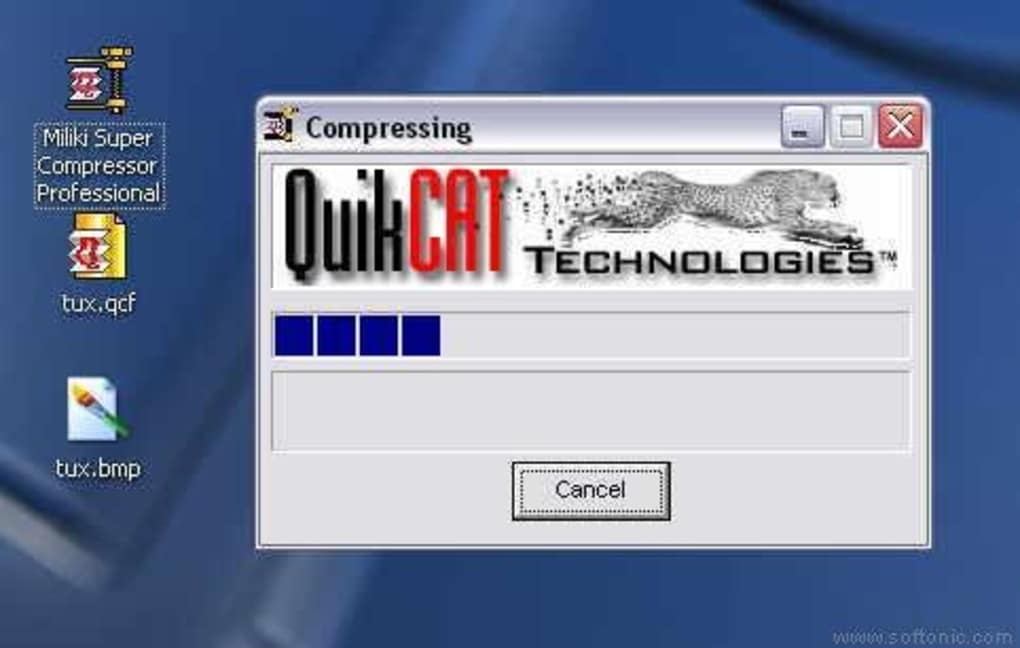
After installation, launch the application from the Start menu or desktop shortcut. The main interface is clean and intuitive, featuring a drag-and-drop zone where you can easily add files or folders. To compress a file, simply select it, click the “Compress” button, and choose your desired settings—such as compression level, output format (ZIP), and password protection. For bulk operations, you can select multiple files simultaneously, which is perfect for organizing large projects or preparing backups.
Once compression is complete, the new archive is saved to your chosen location. You can then share it via email, upload it to cloud storage, or store it on external drives. To decompress a file, open the archive using Miliki Super Compressor Pro and extract the contents with a single click. The software also supports drag-and-drop extraction, making it easy to retrieve individual files from a compressed folder. Overall, the user experience is smooth, efficient, and requires no technical expertise, making it accessible to users of all skill levels.
Compatibility & System Requirements
Miliki Super Compressor Pro is designed for the Windows operating system and supports a wide range of versions, including Windows 95, 98, ME, NT, 2000, XP, and later editions. This broad compatibility ensures that even users with older systems can take advantage of its compression capabilities. However, it’s important to note that the software is not available for Mac, Android, or iOS devices, limiting its use to Windows environments only.
Despite its age, the program runs efficiently on modern Windows systems, including Windows 10 and Windows 11. Its lightweight architecture ensures minimal impact on system performance, making it suitable for both desktops and laptops. The software does not require a powerful processor or high-end graphics card, so it can operate smoothly on budget-friendly machines. Additionally, it supports both 32-bit and 64-bit Windows installations, providing flexibility for different hardware configurations.
For users concerned about security, the software operates offline and does not require internet access to function. This means your files remain private and protected during compression. While the latest update was in 2010, the core functionality remains stable and reliable. That said, users should be aware that the software may not support newer file formats or encryption standards introduced in recent years. For basic compression needs, however, Miliki Super Compressor Pro remains a solid choice for Windows users.
Pros and Cons: A Balanced Look at the Software
- Pros:
- Lightweight and fast performance, ideal for older systems
- Effective compression for both files and photos
- Simple, intuitive interface suitable for beginners
- Supports password protection for secure archives
- Free trial available with full feature access
- Minimal system resource usage
- Cons:
- No updates since 2010; may lack support for modern formats
- Only available for Windows (no Mac, Android, or iOS versions)
- Interface is outdated compared to modern tools
- Limited customization options in the trial version
- Does not support newer compression algorithms
Frequently Asked Questions (FAQ)
Is Miliki Super Compressor Pro free to download?
Yes, Miliki Super Compressor Pro offers a free trial version that allows users to test all features before purchasing. The download is completely free, and no payment is required to try the software.
Can I compress photos with Miliki Super Compressor Pro?
Yes, the software is capable of compressing photos to a fraction of their original size while maintaining acceptable quality. It’s ideal for reducing image file sizes for email or web sharing.
Is Miliki Super Compressor Pro compatible with Windows 10 and 11?
Yes, Miliki Super Compressor Pro is compatible with Windows 10 and Windows 11, as well as older versions like Windows 95 and XP. It runs smoothly on modern systems despite its age.
Does it support password protection?
Yes, users can protect their compressed archives with a password, ensuring that only authorized individuals can access the contents.
Can I use it on Mac or mobile devices?
No, Miliki Super Compressor Pro is only available for Windows operating systems. It does not support Mac, Android, or iOS devices.
Final Verdict: Is Miliki Super Compressor Pro Worth It?
Miliki Super Compressor Pro remains a reliable choice for Windows users seeking a simple, fast, and secure way to compress files and photos. While it hasn’t been updated in over a decade, its core functionality is still effective for basic compression needs. The free trial allows you to test its performance firsthand, and its lightweight design ensures smooth operation across different systems.
For users who prioritize ease of use, speed, and minimal resource consumption, this software delivers excellent value. However, if you need advanced features, support for modern formats, or cross-platform compatibility, you may want to consider more recent alternatives.
Download Miliki Super Compressor Pro today and experience efficient file compression—free trial available!







